

Beginner guide · about 5 minutes · with screenshots
Set up MetaMask from scratch
Never used a crypto wallet? No problem. MetaMask is a free app that works like a digital wallet. It's how you sign in for real USDT tournaments, how commissions are paid to partners, and how you cash out. Follow these steps in order — every step has a screenshot.
- 1
Go to the official MetaMask website
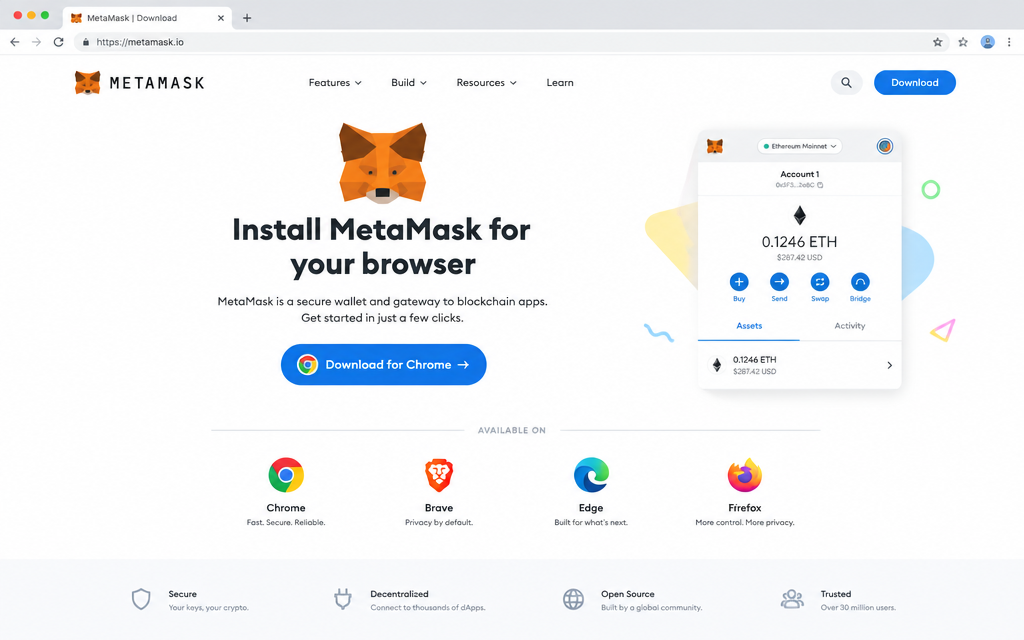
On a computer, open Chrome, Brave, Edge or Firefox and go to metamask.io/download. On a phone, search “MetaMask” in the App Store or Google Play.
Only download from metamask.io or the official app stores. The real publisher is “MetaMask” (by Consensys). MetaMask is free — never pay for it.
- 2
Install it
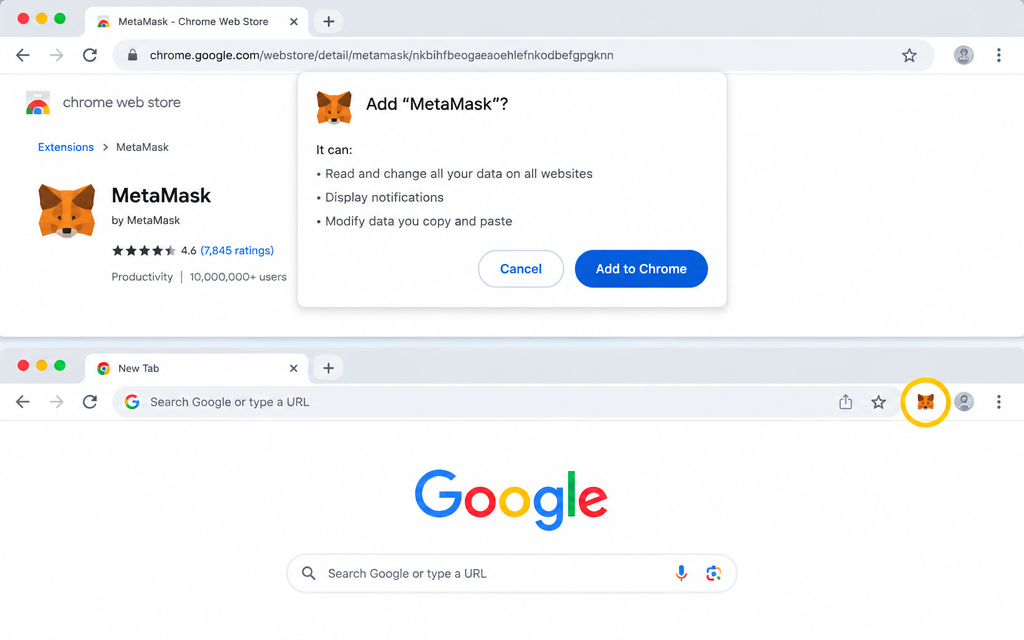
On a computer, click Install MetaMask for [your browser], then Add to Chrome (or Add extension). A fox icon appears at the top right of your browser — pin it so it's always visible. On a phone, tap Get or Install and open the app.
- 3
Create a new wallet
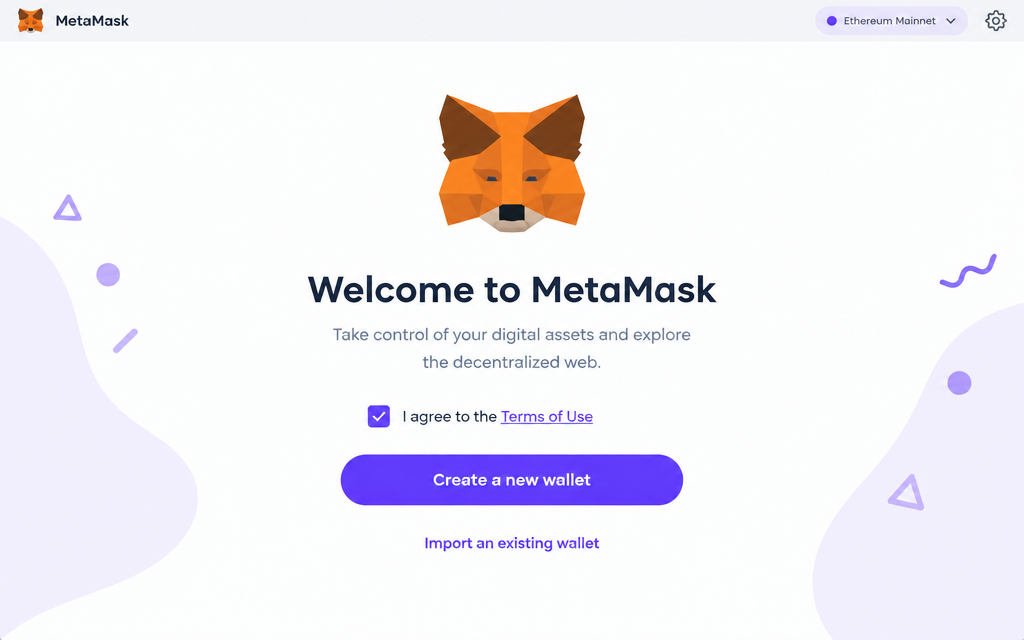
MetaMask opens a welcome screen. Tick the box to agree to the terms, then click Create a new wallet. If it asks about sharing usage data, either choice is fine.
- 4
Pick a password
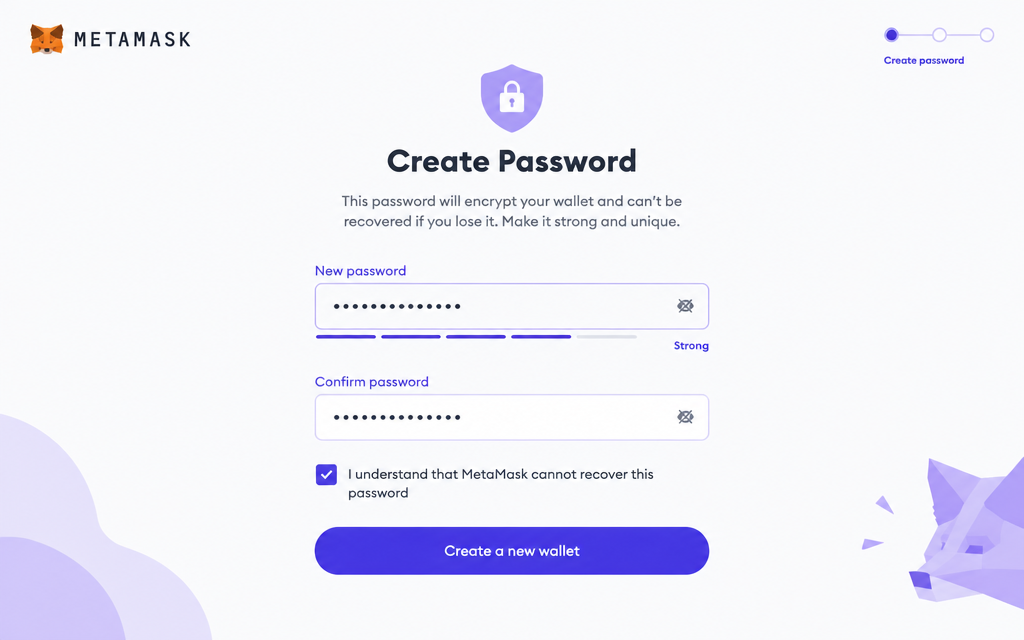
Choose a strong password (8+ characters) and type it twice. This password only unlocks MetaMask on this device. Write it down somewhere safe.
- 5
Save your Secret Recovery Phrase — the most important step
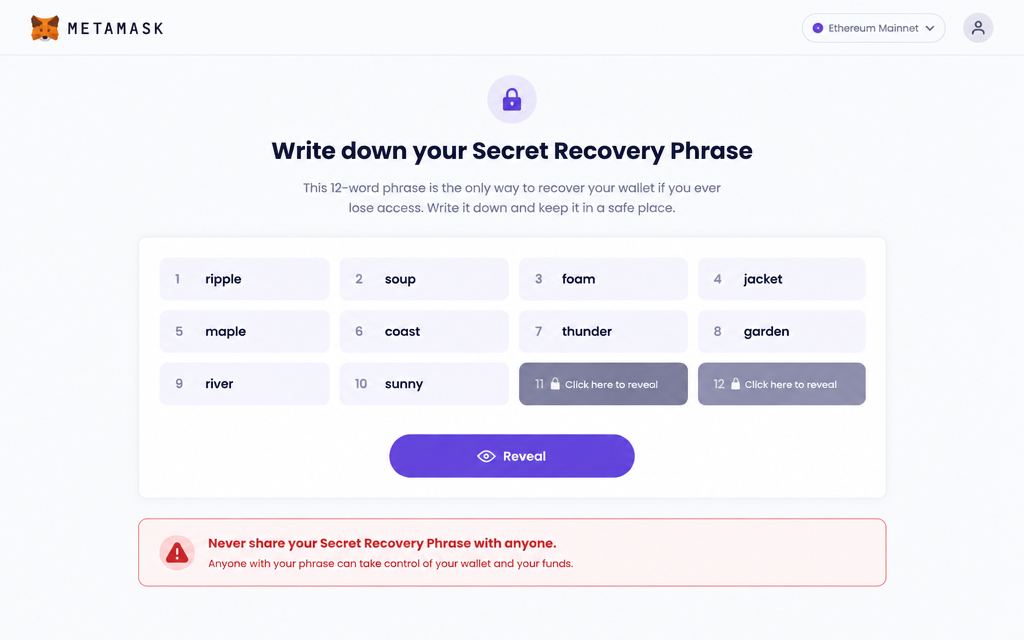
MetaMask shows you 12 words. Click Reveal, then write all 12 words on paper, in order. Next, MetaMask asks you to fill in a few of them to prove you saved them.
- These 12 words are the master key to your money. Anyone who has them can take everything.
- Never type them into a website, email or chat — not even for us. World Trading League will never ask for them.
- If you lose your device, these words are the only way to get your wallet back.
- 6
You're done — your wallet is ready
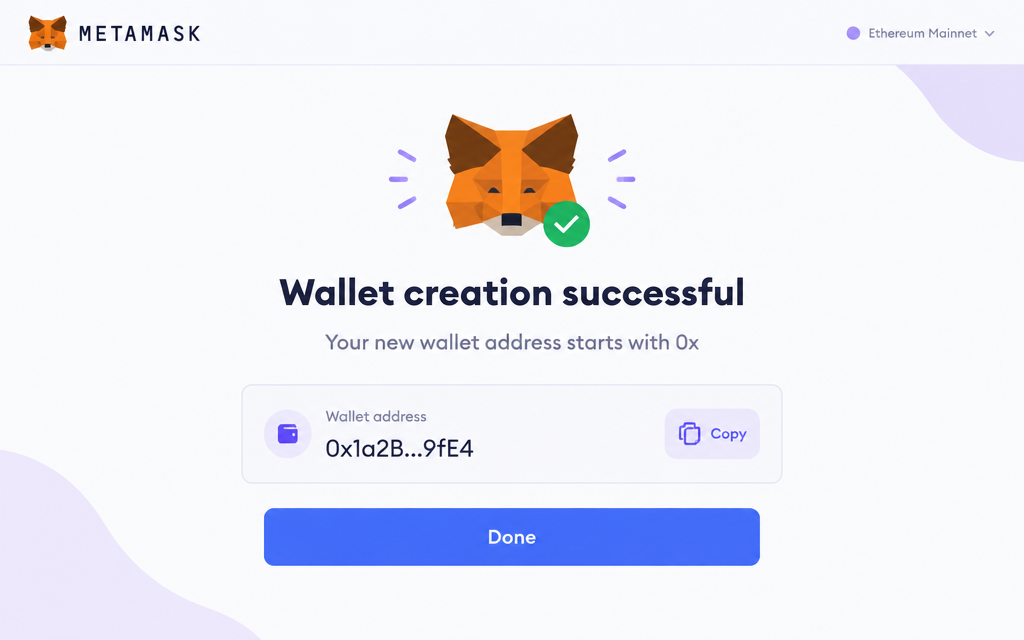
You'll see “Wallet creation successful”. Click Done. Your wallet now has an address starting with 0x…. You don't need to buy any crypto to connect it or to receive payouts.
- 7
Sign in to World Trading League
Use the buttons at the bottom of this page. Already have an account? Sign in with the same Google, email or wallet you used before. New here? Create a free account first — no MetaMask wallet is needed to join.
- 8
Connect your MetaMask from My Account
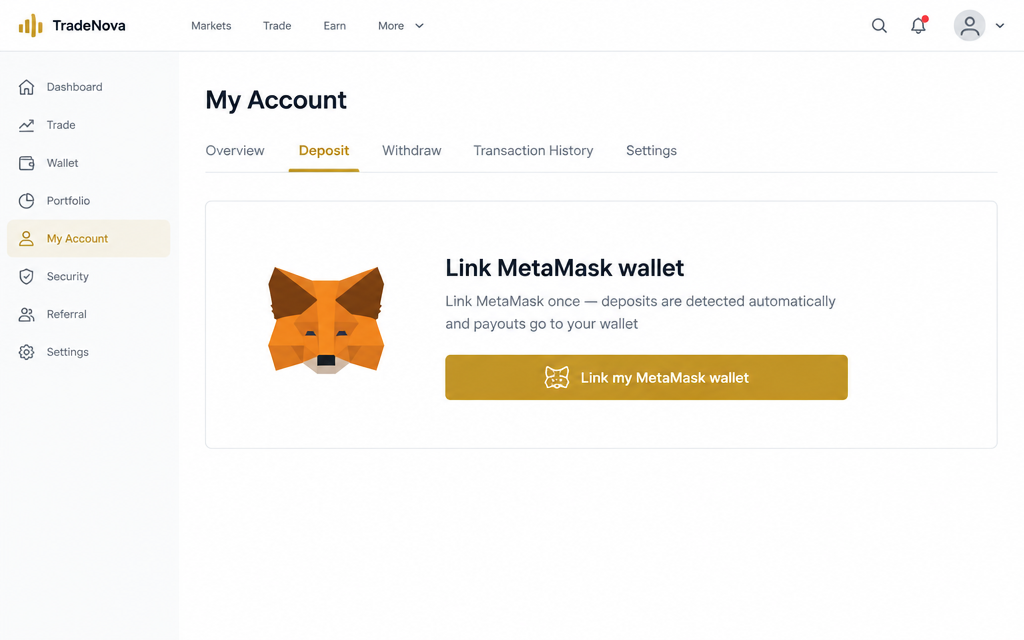
Sign in and open My Account → the Deposit tab. Find “Link my MetaMask wallet” and click it.
- 9
Approve the connection in MetaMask
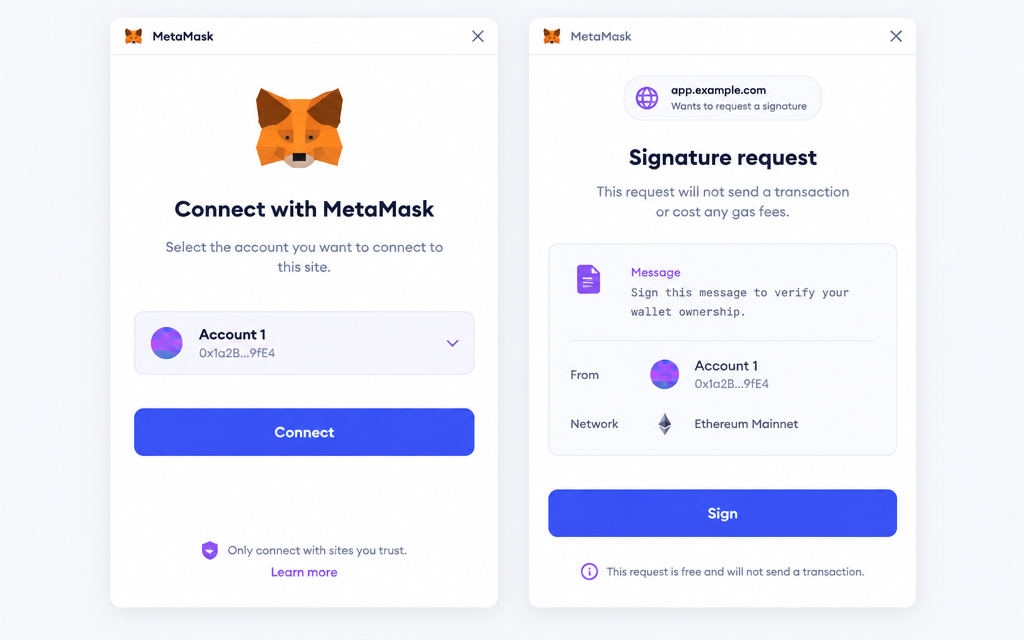
MetaMask pops up: choose your wallet, click Connect, then Sign (or Confirm). Signing is free — no money moves and there is no fee.
- 10
You're connected
My Account now shows your linked 0x… wallet. Deposits sent from it are detected automatically, your commissions and prizes are paid to it, and you can cash out any earned USDT from the Withdraw tab. If you were invited to the free $20 wallet-link offer, it appears in your balance right away.
- 11
Get USDT
USDT is a digital dollar: 1 USDT is worth about $1. Buy it in any of these apps:
- Coinbase or Binance: buy USDT with your bank card or account.
- Robinhood: only if USDT is listed in your app. Otherwise use Coinbase or Binance.
- MetaMask itself: tap Buy in the wallet and choose USDT.
Small amounts are fine. Most tournaments cost $5–$10 to enter.
- 12
Deposit USDT to World Trading League
- Sign in and open My Account → Deposit.
- Pick a network and copy the deposit address shown there.
- In Coinbase, Binance, Robinhood or MetaMask, choose Send / Withdraw USDT, paste the address and pick the same network.
- Send a small test amount first if you like (full guide: how to send USDT). Your balance updates automatically, usually within about 5 minutes.
- 13
Join a tournament
Open the Lobby, pick a stocks or crypto tournament and click Register. The top 15% of every field gets paid in USDT.
Ready? Connect your wallet now
Stuck? Email steved@tplustwoholdings.com and we'll walk you through it.